From Ear to Staff: How to Convert Audio and Streaming Tracks into Playbook Scores
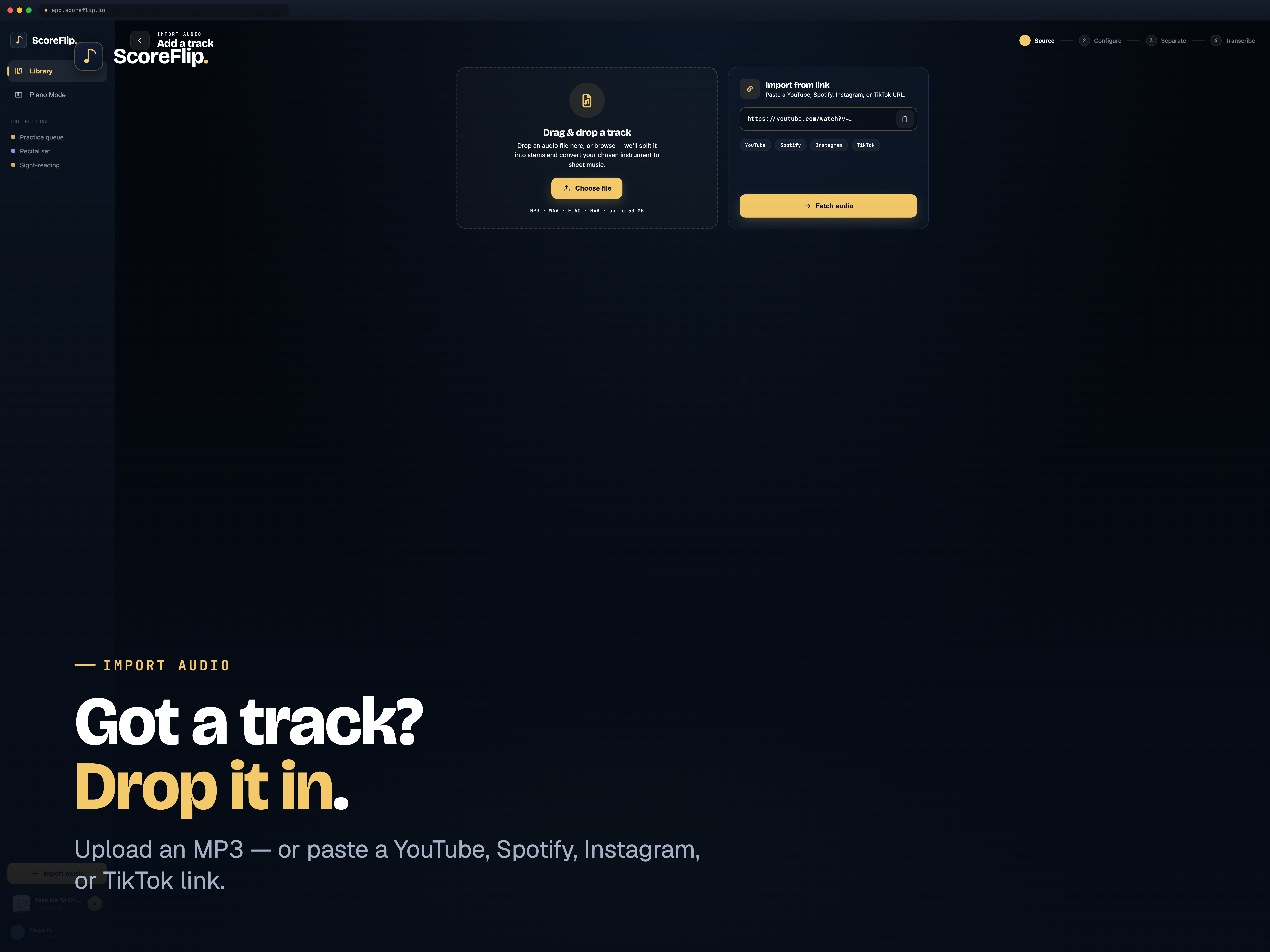
We've all been there: you are listening to an incredible piano cover on YouTube, or a new track on Spotify, and you think, "I need to learn how to play this." You search Google for the sheet music, but nothing exists. Or if it does, it's a simplified, inaccurate fan arrangement that doesn't capture the voicings or grace notes of the original recording.
Your only option is to spend hours slowing down the audio, looping 2-second segments, and trying to transcribe the notes by ear. It's a tedious process that halts your momentum.
ScoreFlip was designed to bridge this exact gap. Using advanced transcription engines, you can convert raw audio files or streaming links from Spotify and YouTube directly into interactive, editable, and playable sheet music in seconds.
---
Step 1: Import Your Audio
Getting audio into ScoreFlip is simple. Whether you are on your tablet, phone, or desktop, you can import music through multiple pathways: - Streaming URLs: Simply paste any YouTube video link or Spotify track URL. ScoreFlip's cloud pipeline fetches the audio payload directly. - File Upload: Upload standard audio formats, including MP3, WAV, M4A, or FLAC. - Direct Recording: Tap the microphone icon to record a live acoustic performance in your room, which ScoreFlip will capture and transcribe.
Importing audio from local files or web streams on a tablet.
Once your source is loaded, select your main target instrument (e.g. Piano, Keyboard, Guitar) and tap the "Convert" button.
---
Step 2: Stem Splitting (Isolating the Performance)
In a typical song, the piano is surrounded by drums, bass guitars, vocals, and synthesizers. If you feed a full mix directly into a basic frequency-transcription tool, the resulting sheet music is a chaotic mess of drum frequencies and vocal lines mapped onto staff lines.
To solve this, ScoreFlip executes an initial Intelligent Stem Splitting pass:
1. The mix is decomposed into separate, isolated audio channels (Stems): Vocals, Drums, Bass, and Other Instruments. 2. The piano/keyboard layer is extracted while filtering out percussive and vocal transients. 3. This clean, isolated instrument stem is forwarded to the main pitch-transcription processor.
By isolating the target instrument first, ScoreFlip dramatically improves transcription accuracy, ensuring that bass frequencies from a kick drum or vocal pitches don't interfere with your treble and bass clef lines.
---
Step 3: Polyphonic Pitch Detection & Quantization
Once the audio is isolated, ScoreFlip's core transcription model begins parsing the file. Unlike basic monophonic tuners (which can only detect one note at a time), ScoreFlip uses a specialized Polyphonic Transcription Engine. This model can analyze dense chords, overlapping resonance, and rapid runs.
The algorithm runs in three layers: - Onset Detection: Pinpoints exactly when each note starts. - Frame-Level Pitch Recognition: Evaluates the fundamental frequency (Hz) of all active notes during every 10-millisecond frame. - Offset Tracking: Determines exactly when a key is released.
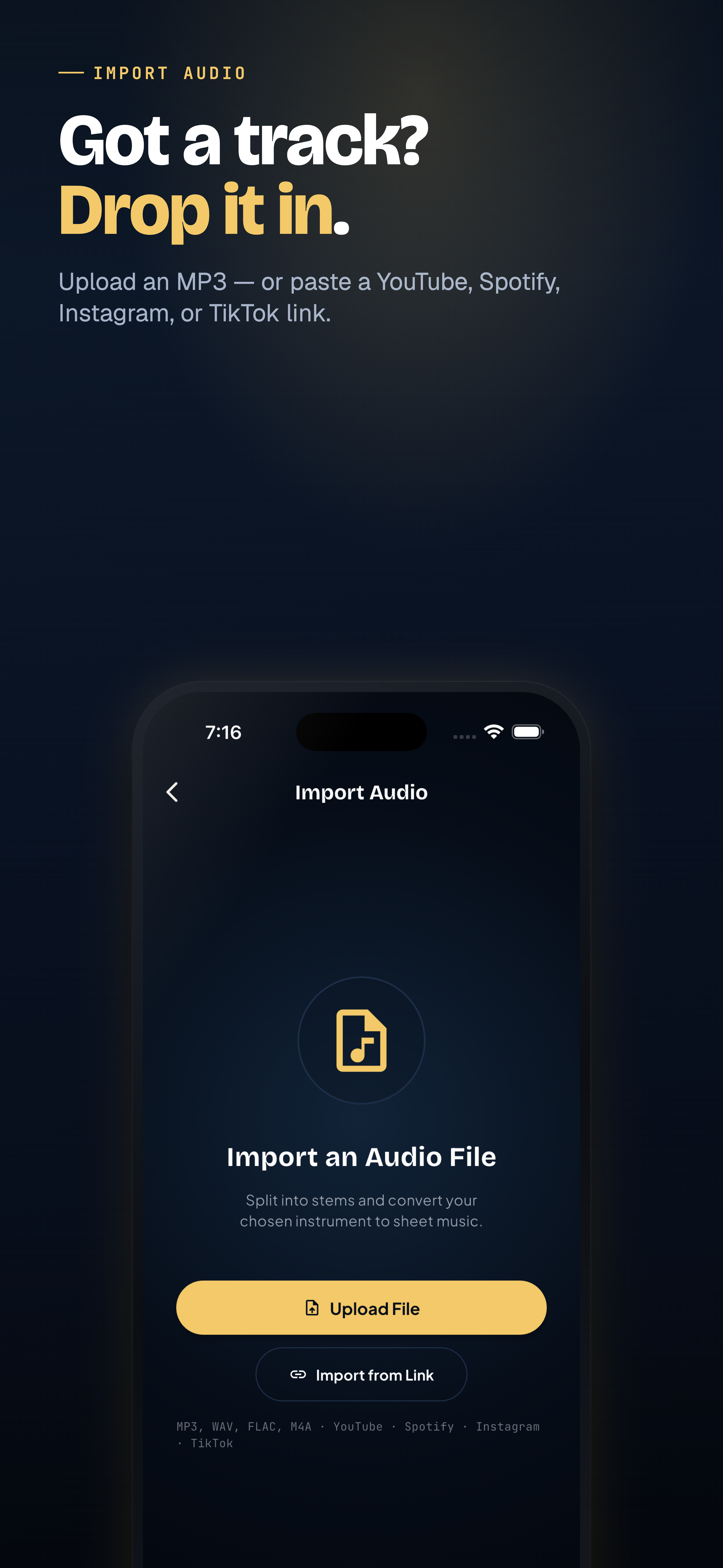 Processing the audio through the transcription system.
Once the pitches are mapped, ScoreFlip runs a Dynamic Quantization step. It fits the raw millisecond timings into musical divisions (quarter notes, eighth notes, triplets) according to the song's tempo grid, instantly organizing the notes into double-staff treble and bass clefs.
---
Step 4: Access Your Interactive Playbook Score
In under a minute, the transcription completes, and your imported audio is rendered as clean, scrollable digital sheet music.
You can now: - Play and Listen: Press play to hear the synthesized score side-by-side with the original audio stream. - Adjust Tempo: Slow down complex passages to 50% or 60% tempo to practice difficult runs without affecting the pitch. - Transpose Key: Transpose the entire transcribed score to a different key signature instantly.
By turning audio files and streams into interactive staves, ScoreFlip opens up a world of unreleased arrangements, jazz solos, and pop tracks, putting any song you hear within immediate reach.
Enjoyed this deep dive?
Explore more articles on notation scanning, electric keyboards, and gamified music practice in our journal.
Explore All Articles