Play Music in the Air: Piano, Guitar and Strings With Just Your Hands
Most people who say "I can't play an instrument" mean something specific: they never learned where to put their fingers. Chord shapes, fingerings and years of scales stand between them and the music they already hum.
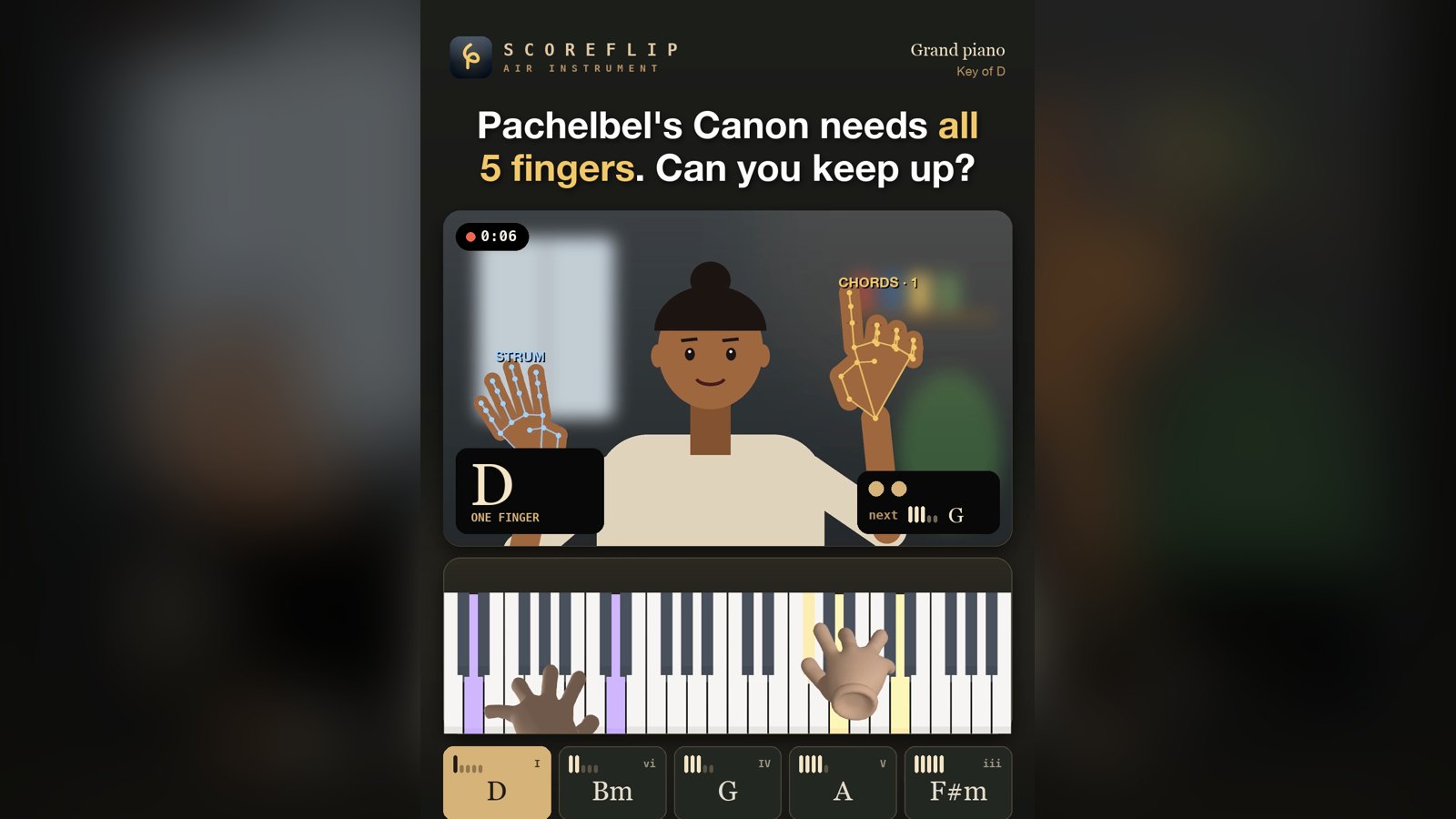
We wanted to remove that step completely. The new ScoreFlip Air Instrument turns your laptop or phone camera into an instrument. Hold up one finger and a chord plays. Hold up two and the next one plays. Flick your other hand to strum. No piano, no guitar, nothing to install.
It's free, it runs in your browser, and you can try it right now at roovemusic.com/scoreflip/tools/air-instrument.
A ScoreFlip Air Instrument video: the player holds up fingers to pick chords and strums with the other hand, while the 3D hands play the keyboard.
---
How It Works in 10 Seconds
1. Open the page and allow your camera. 2. Hold up your chord hand. The number of fingers you show picks the chord: one finger plays the first chord, two fingers the second, all the way up to an open hand. A fist stops the sound. 3. Strum with your other hand (optional). Flick it down or up in front of the camera, like a guitar. A faster flick plays louder.
That's it. Change your hand shape and the music changes with you.
---
Why Fingers? Four Chords, a Thousand Songs
Here's the secret the tool is built on: most popular songs use the same handful of chords. Musicians call them the I, IV, V and vi of a key. In C major, that's C, F, G and A minor.
Put those four chords on four fingers and you can accompany yourself on a huge number of songs without learning a single chord shape. The Air Instrument comes with four ready-made chord sets:
- Pop (I–IV–V–vi): the classic sound of countless pop, rock and worship songs.
- Ballad (I–vi–IV–V): the same chords in a softer order, great for slow songs.
- Minor (i–iv–v–VI–VII): darker and more dramatic.
- Blues (I7–IV7–V7): seventh chords for a twelve-bar groove.
Pick any of eight keys (C, G, D, A, E, F, B♭ and E♭) so the chords match the song you want to sing. The chord pads under the camera always show which finger plays which chord, so you never have to memorise anything.
 The chord pads: one finger to an open hand, each mapped to a chord, plus a fist to stop.
Try this first
Choose the key of C and the Pop set. Count four slow beats on each chord: one finger (C), four fingers (Am), two fingers (F), three fingers (G). Loop it and hum over the top. You've just played one of the most famous chord progressions in music.
---
Six Instruments, One Pair of Hands
Switch instruments at the top of the player:
- Grand piano, electric piano and organ: ScoreFlip's 3D hands appear on a real keyboard and play every chord you choose, so you can see exactly which keys make up each chord. It's a quiet piano lesson hidden inside a toy.
- Guitar: the guitar picture shows the chord shape on the fretboard as you play. Pair it with strumming for the most natural feel.
- Violin and cello: sustained, singing chords in each instrument's own range.
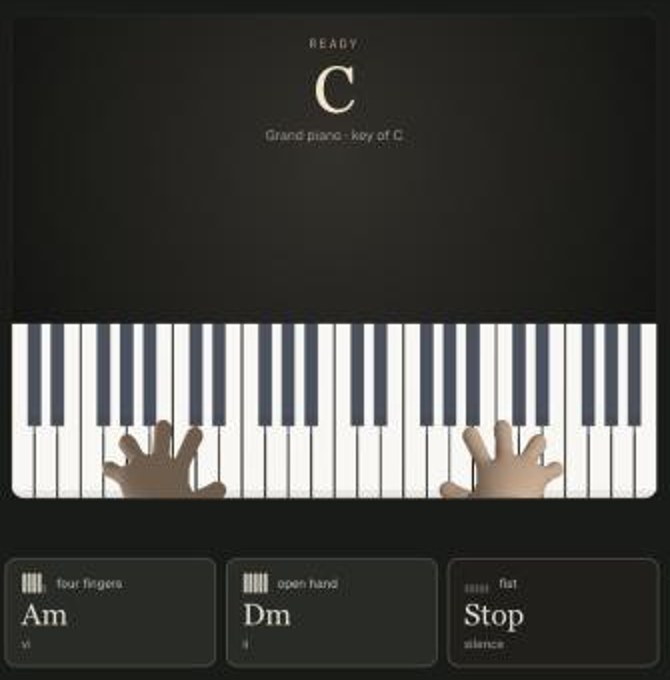 On piano, ScoreFlip's 3D hands play each chord on the keyboard so you can see the notes.
---
Two Ways to Play
Play on: Chord change. The chord sounds the moment your hand shape changes. Your strumming hand is free, so this is the best mode for singing along.
Play on: Strum. Your chord hand holds the shape and your other hand does the rhythm. Flick down, flick up. It feels surprisingly like playing a real guitar.
You can also choose Pick by: Position instead of finger count. Then the camera picture is split into four zones and you move your hand from zone to zone to change chords. Some people find this easier, especially with small children.
Left-handed? Switch Chord hand to Left.
---
Sing Along and Record a Video
The Air Instrument is made to be shared. Press Record video, play your song, then press Stop. ScoreFlip builds a branded video right in your browser. It shows your camera with the hand tracking, the instrument playing each chord, and the chord names as you go.
- Turn on Voice to add your singing from the microphone. Use headphones for the cleanest mix.
- Choose 9:16 for Reels, TikTok and YouTube Shorts, or 16:9 for regular YouTube.
- Recording and watching your video back are free. Saving or sharing uses one of your three free ScoreFlip exports each month. After that you can use a credit, or save as many as you like with ScoreFlip Plus or Pro.
Worship leaders, music teachers and anyone who loves a sing-along: this is a fun way to make a quick video without carrying an instrument around.
---
Private by Design: Your Camera Stays on Your Device
We know that "allow camera" is a big ask, so we built the tool to keep your camera to itself.
Hand tracking runs inside your browser using Google's open-source MediaPipe hand model. Each camera frame is turned into hand positions on your device and then thrown away. No camera frames and no hand data are uploaded to ScoreFlip or anyone else. The tracking model (about 8 MB) downloads once, like any other part of a web page.
A video is only made when you press Record. It's created on your device and stays there until you choose to save or share it.
---
Tips for the Best Tracking
- Keep your hand 40–80 cm from the camera with your palm facing it.
- Use good light, and a plain background if you can.
- Spread your fingers clearly, especially for three and four fingers.
- When strumming, keep both hands in the picture.
- No camera? Tap the chord pads, or use the keyboard: 1–5 for chords, Space to strum and 0 to stop.
It works best in Chrome, Edge or Safari on a laptop or phone.
---
Challenges to Try
Once you've got the hang of it, test yourself:
- Amazing Grace with three fingers. Key of G, Pop set. One finger (G), two fingers (C) and three fingers (D) are all you need for the whole hymn.
- Pachelbel's Canon with all five fingers. Key of D, Ballad set. The famous progression goes 1 – 4 – 2 – 5 – 3 – 1 – 3 – 4 (D, A, Bm, F♯m, G, D, G, A). Play it slowly, then double the speed. Can you change on every beat?
- Twinkle, Twinkle, Little Star. Key of C, Pop set, fingers 1, 2 and 3. A perfect first song for kids.
Record your best take and tag us @scoreflip. We'd love to see it.
---
From Chords to the Whole Song
The Air Instrument is the fastest way to feel music in your hands. When you're ready for the real notes, the ScoreFlip app turns any song, audio file or photo of sheet music into a playable score. You can play along on the piano with the same 3D hands and practise at your own pace.
Enjoyed this deep dive?
Explore more articles on notation scanning, electric keyboards, and gamified music practice in our journal.
Explore All Articles