New in ScoreFlip: Share Your Sheet Music as a Link Anyone Can Play
You just turned a song into sheet music. Maybe it was a piano cover from YouTube, a voice memo of a melody you hummed, or a photo of a page from an old songbook. The first thing you want to do is show someone: your teacher, your bandmate, the friend who asked "can you send me that?"
Until now, that meant exporting a PDF or a MIDI file and hoping the other person had something that could open it. A PDF can't play. A MIDI file needs an app. And neither tells your friend what the music actually sounds like.
So we built something better. Every score in ScoreFlip can now be shared as a link. Whoever opens it sees the sheet music and can press play to hear it, right in their browser. They don't need to install anything or create an account.
---
Step 1: Tap "Share as link"
Open the menu on any score in your library. You'll find Share as link at the top. The same button is at the top of every score you have open.
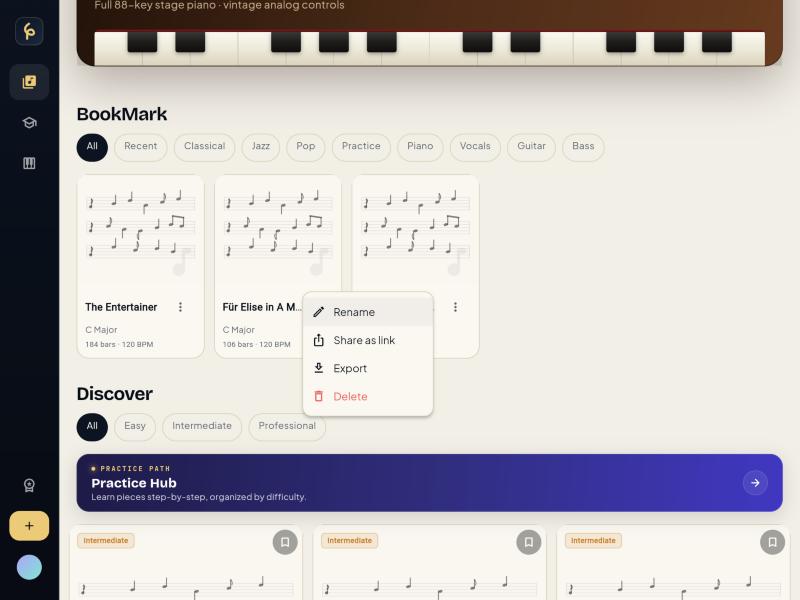 Share as link sits at the top of every score's menu in your library.
ScoreFlip creates your link immediately. Tap Share link to send it through WhatsApp, Messages, Instagram, email, or anywhere else your phone can share to. Or tap Copy and paste it wherever you like.
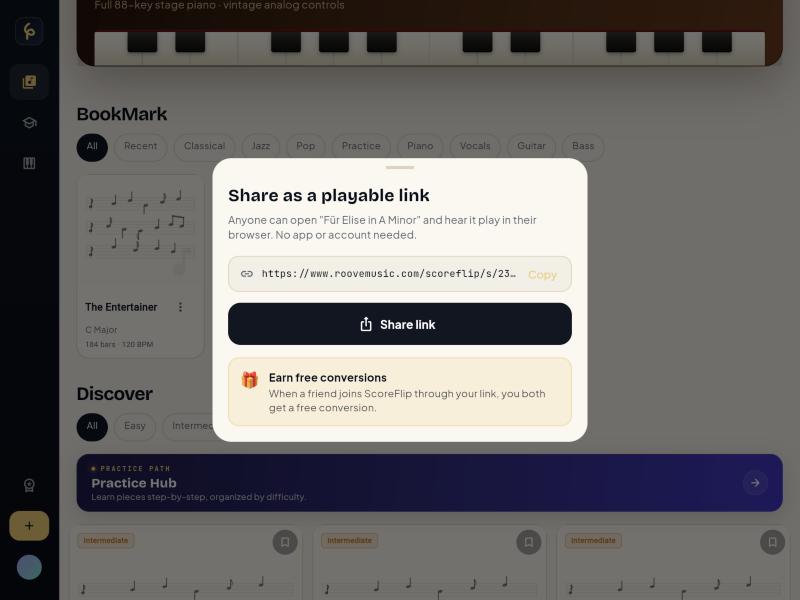 Your link is ready in a second, with a one-tap Share button.
Each score always keeps the same link. If you edit the score and share it again, people who already have the link will see your latest version.
---
Step 2: It looks great in the chat
When you paste the link into a conversation, it shows up as a card with your song's title and a big Tap to play button. It looks like music someone sent you, not a random web address.
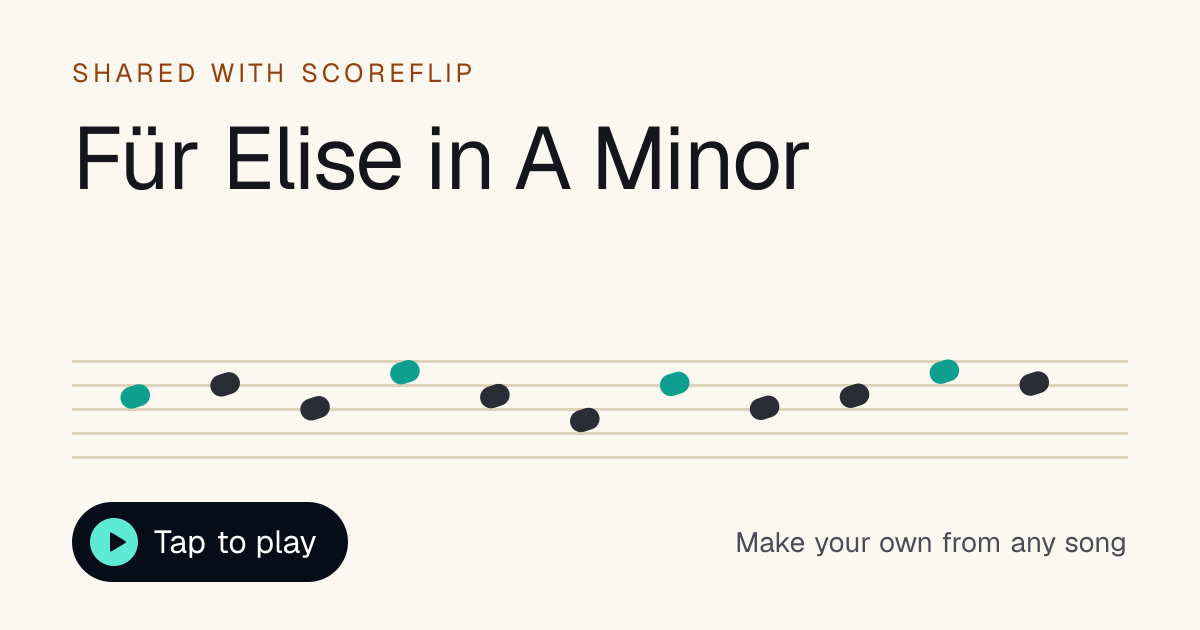 The preview card your friends see in WhatsApp, iMessage and X.
---
Step 3: Your friend presses play
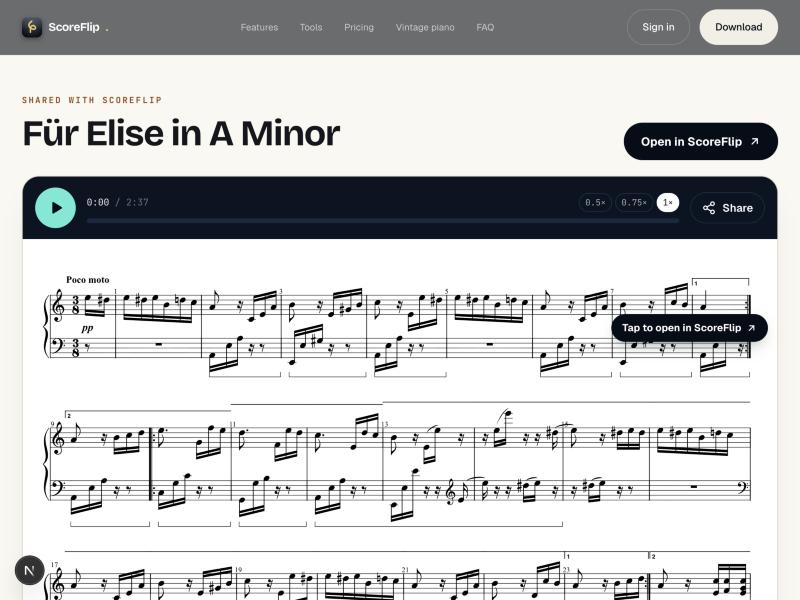
The link opens a clean page with the full score. Press the play button and a grand piano plays the piece while a highlight moves along the notes, so your friend can follow exactly where the music is.
The shared score opens in the browser, ready to play.
Learning it? Slow the playback to 0.5× or 0.75×, or tap anywhere on the progress bar to jump to a section. There's a Share button on the page too, so they can pass the score on to someone else.
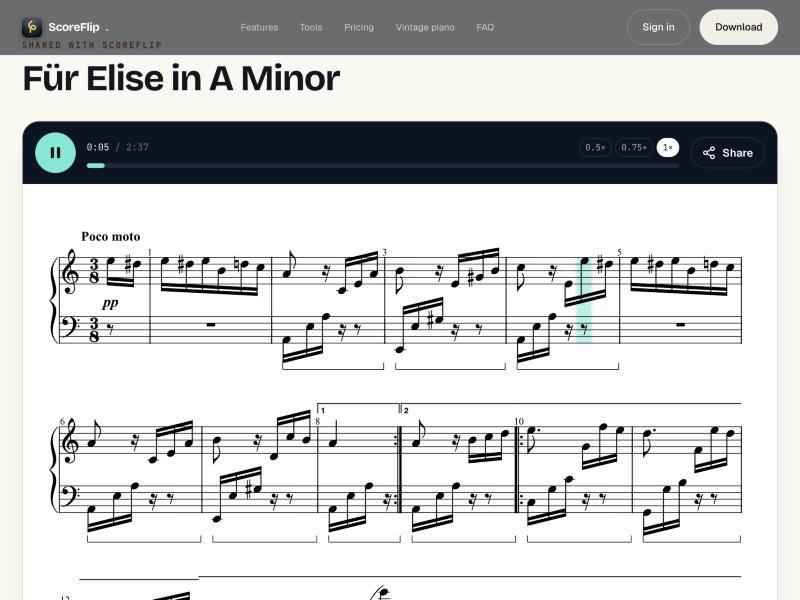 The highlight follows the music as it plays.
Links are private. Search engines are told not to list them, so only people you send the link to can find your score.
---
Step 4: Open it in ScoreFlip to do much more
The web page is for listening. The ScoreFlip app is for playing and practising. Tap the sheet music, or tap Open in ScoreFlip, and the score opens in the app and is saved to your friend's library. From there they can:
- Practise along with falling notes on an on-screen piano keyboard
- Loop the hard bars and slow them down until they're comfortable
- Switch instruments to hear it on guitar, strings and more
- Export a PDF to print, or MIDI, audio or video files
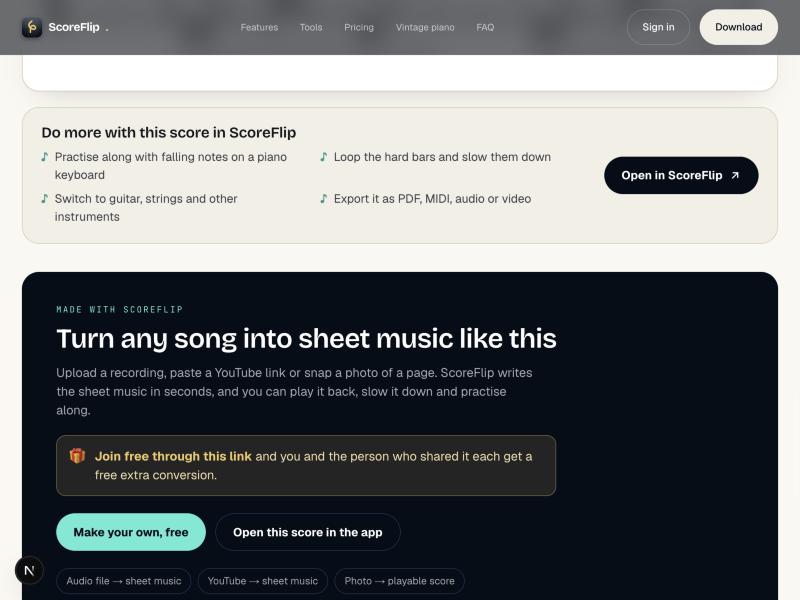 Everything the app adds, one tap away.
The page works just as well on a phone. The Open in ScoreFlip button sits right under the title, and a bar at the bottom of the screen keeps the app one tap away.
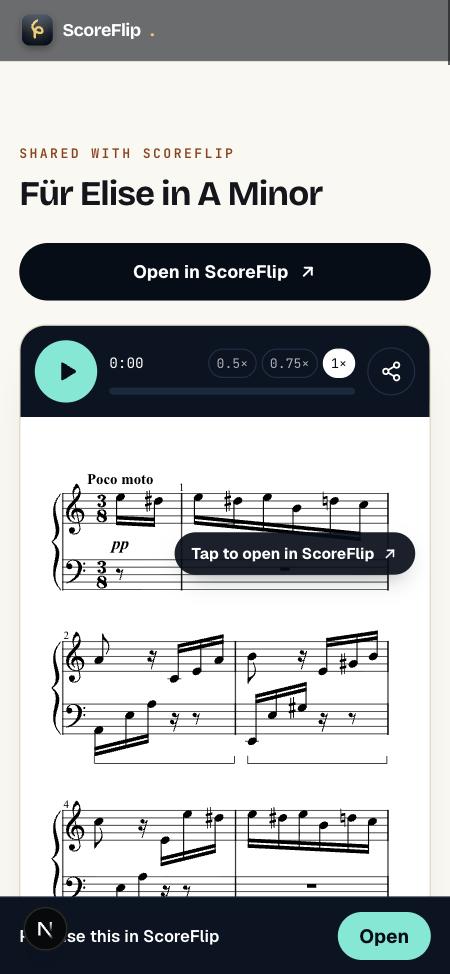 On a phone: the score, and the way into the app.
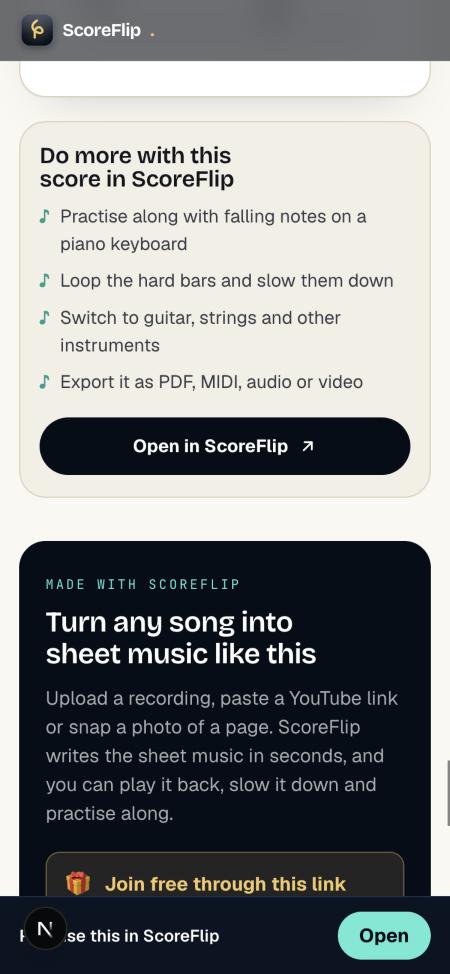 What the app adds, on a phone.
Here's what your friend sees when they open it: the score is saved to their library, ready to play, practise and loop.
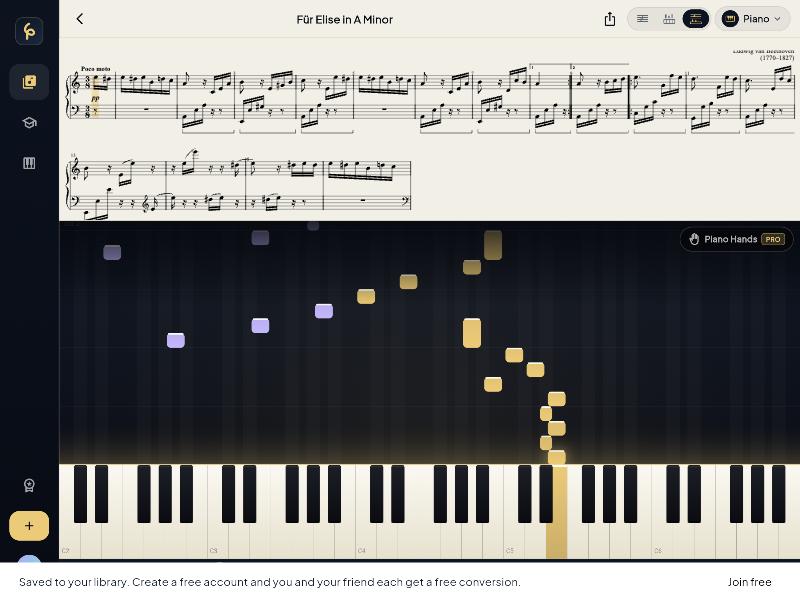 The shared score, opened and saved in ScoreFlip.
---
Share with a friend, and you both get a free conversion
Every shared link comes with a thank-you. When a friend creates a free ScoreFlip account through your link, you each get a free extra conversion. Use it to turn your next song, recording or photo into sheet music.
- Your friend gets their free conversion as soon as they sign up through your link.
- You get yours at the same time, without doing anything.
- You can earn up to 20 free conversions a month by sharing.
The ScoreFlip app also shows you how many times your score has been played and how many friends have joined through your link.
---
Make your own
Every shared score was made by someone in seconds, from a recording, a YouTube link or a photo of a page. If a friend's link brought you here, try it with a song you love. Upload audio, paste a link, or snap a photo, and ScoreFlip writes the sheet music for you.
Then share it. Someone you know has been waiting to hear it.
Enjoyed this deep dive?
Explore more articles on notation scanning, electric keyboards, and gamified music practice in our journal.
Explore All Articles